BrandK Restaurant POS System Malaysia BrandK Restaurant POS System Malaysia

  • English
  • 한국어
  • 中文
  • Bahasa
  • Download Program
  • MAIN FEATURES
  • POS SOLUTIONS
    • POS System Malaysia
    • Restaurant POS System
    • Ordering System
  • PROCESS/OPTION
  • FAQ
  • TROUBLESHOOT
  • USER MANUAL
    • Basic Guide
    • Detailed Guide
  • E-INVOICE
    • e-Invoice Guides
    • Who is required?
    • What to prepare
    • 2026/2027 relaxation myth
    • BrandK E-Invoice (PC)
    • ExpenseAI (Mobile)
  • Consultation
Consultation

Ask questions about BrandK POS!

Can I upgrade from using only BrandK Counter POS?

Of course! We will do our best to help with all your business operations. Feel free to contact us anytime!

Can I use my existing POS or tablet? What devices are supported?

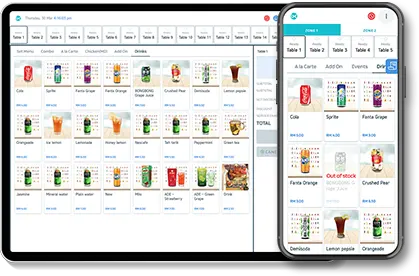
Yes. BrandK Counter POS now supports Windows as well as Android tablets. If you already use a Windows POS PC, you can switch to BrandK without buying new hardware. Android OS 7.0+ and iOS 11+ tablets also work for POS, table order, and staff ordering devices.

What is the installation procedure?

1. Pre-Installation Check
2. Consultation and Contract
3. Installation and Training

Can I really add the payment brand I want to BrandK POS directly?

Yes! Quick payment brand additions are one of the main satisfaction factors for our BrandK POS users!

Can I really check employee attendance even when I'm not in the store?

Yes, it’s very easy!

1. 1. Register your employees in the BrandK Admin app.
2. 2. Create work schedules for employees in BrandK POS.
3. 3. You can check attendance and breaks according to each employee's schedule through BrandK POS.
4. 4. You can just check the attendance status through the BrandK Admin app!

Does it support Korean?

Of course! BrandK POS is developed by a team of Korean developers with local experience in operating restaurants in Malaysia! Feel free to use it as we also offer Korean support!

Can I really manage everything?

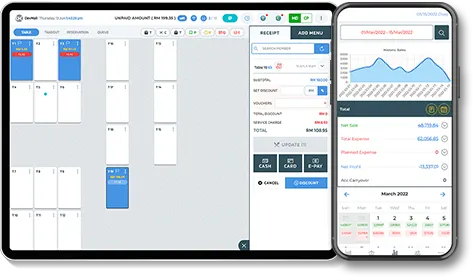
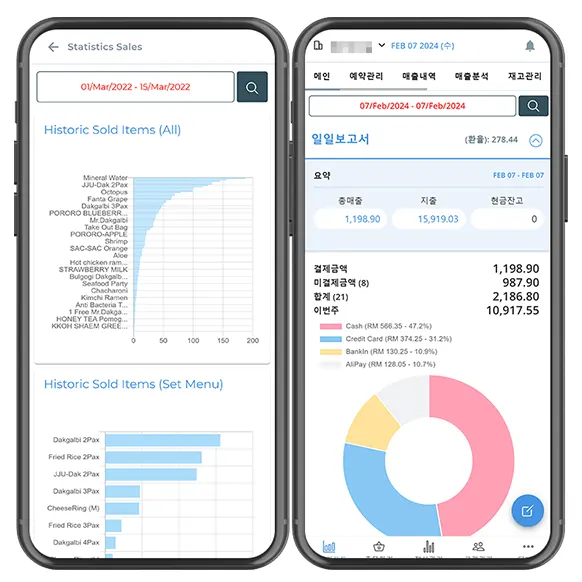
BrandK aims to be an All-in-One cloud-based POS system, providing powerful yet easy-to-use features. You can manage business data anytime, anywhere, and also check employee attendance, payroll management, and order issues/cancellation through the BrandK app.
Please provide your email to receive a reply! *
What can we help you with? Please write your inquiry! *
전화번호를 입력해주세요 *
궁금한 서비스를 선택해주세요 (중복가능) *
BrandK 포스
BrandK 테이블오더
신규 개발 문의
제휴협력
개인정보 수집 및 이용에 동의합니다. *
서비스 상담을 위해 전화번호를 수집하며 문의일로부터 3개월 보관한 후 파기합니다.
담당자가 확인 후 빠른 유선 연락을 드리겠습니다.
상담신청인 목록 보기(관리자 접근만 허용)

BrandK

Counter POS

APK - v6
BrandK

Admin App

BrandK

Order POS/Table POS

APK - v6
BrandK

Membership App

BrandK

FLOW OPS

APK

Utility Download

New!

Windows POS Setup

Counter POS for Windows — use your existing POS PC (no new hardware required)

Contact us to receive the Windows installer and setup guide.

Request Windows Installer WhatsApp

Zywell Printer

Printer setup utility

APK
BrandK BrandK

Restaurant POS System Malaysia · e-Invoice · Table Order · Queue

  • Email: [email protected]
  • Phone: +6011-2388-0839
  • WhatsApp: +6011-2388-0839
FAQ
  • FAQ
  • TROUBLESHOOT
  • Consultation
  • e-Invoice Guides
POS SOLUTIONS
  • POS System Malaysia
  • Restaurant POS System
  • Ordering System
  • MAIN FEATURES
  • PROCESS/OPTION
  • Privacy Policy
  • Delete Account
© 2026 BrandK Marketing Sdn. Bhd. · brandk.com.my
E-Invoice Quick Filing Service is now open!
Go